
No-code and visual ETL
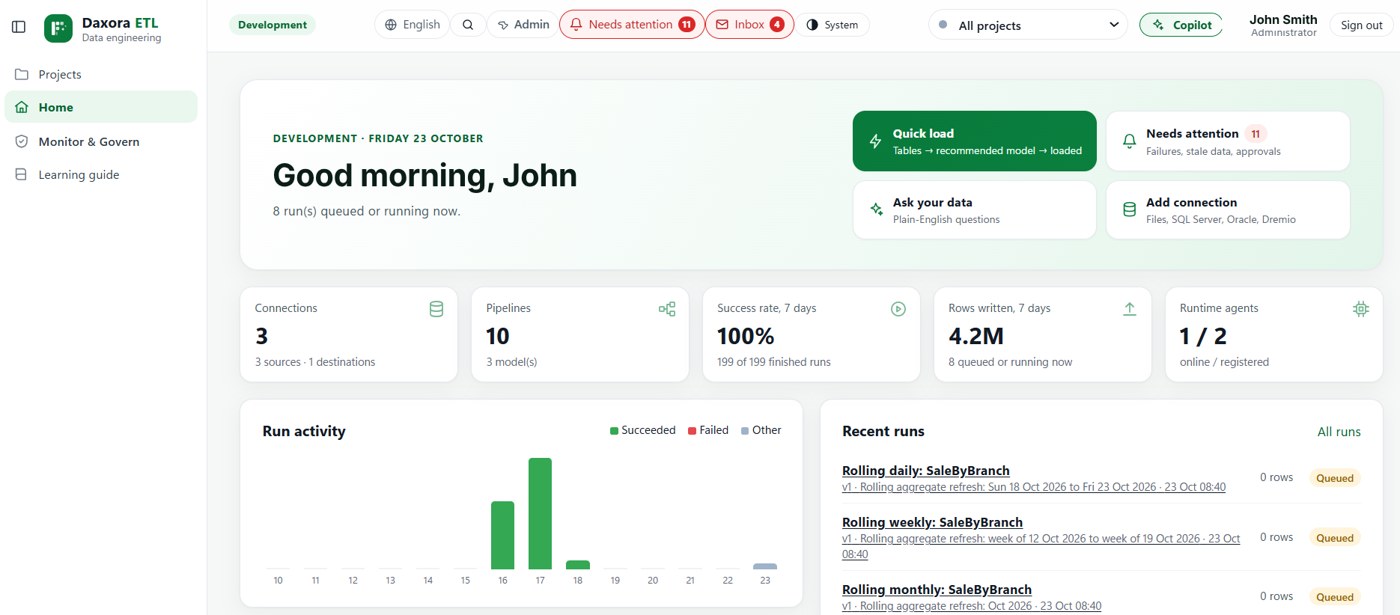
DAXORA Studio lets teams design data pipelines on a visual canvas: AI proposes the steps, and cleansing, joins and aggregations are configured rather than hand-coded, with engineering review where it matters.
The problem
Hand-coded pipelines depend on the few engineers who know the code. Analysts who understand the data cannot change a transformation without filing a request.
Scripts that only one person can read are hard to review, hand over and maintain.
How DAXORA Studio helps
Studio shows each pipeline as steps on a visual canvas. Common transformations, such as filtering, joining, cleansing and aggregating, are configured on the canvas, and AI proposes a starting pipeline from the profiled data.
Because the pipeline is visible, analysts and engineers review the same flow, and approval stays with the people responsible for the data.
Relevant capabilities
- Visual transformation designer: Build cleansing, joins and aggregations on a visual canvas.
- ETL/ELT pipeline generation: Proposes pipelines that engineers review and approve.
- Data quality validation: Check completeness and consistency before data is used.
- Workflow scheduling and monitoring: Run on schedules and track status and failures.
A practical example
Illustrative example: a finance analyst needs a monthly table that combines budget figures from a spreadsheet with actuals from the finance database. Studio proposes the pipeline, the analyst adjusts the join and grouping on the canvas, and an engineer approves it before it is scheduled.
Supported data sources and platforms
- DAXORA Studio is designed to connect to databases, files, APIs and cloud sources, using the access your organization approves.
- The validated connectors for your sources and targets are confirmed with DAXORA during a demo.
- Prepared datasets can feed DAXORA Insight or the reporting tools you already use.
Limitations and what to check
- Visual design covers common transformations. Complex logic may still need expressions or code written by an engineer.
- Visual pipelines still need governance: agree in advance who may edit, approve and schedule them.
- Generated output is a starting point. The people who own the data and the reports review it before it is used.
How to request a demo
- Request a demo with the form and tell us which data sources and platforms you use.
- We confirm which sources, targets and deployment options apply to your environment.
- We show the product with a scenario that matches your use case.
- You decide on next steps, with no obligation.
Frequently asked questions
Is DAXORA Studio completely no-code?
Common transformations are designed visually on a canvas without writing code. Complex logic may still need expressions or code from an engineer, and generated pipelines are reviewed before they run.
Who should use a no-code ETL tool?
Data analysts and engineers who want to build and review pipelines faster, and organizations that want the people who understand the data to take part in preparing it.
What is the difference between no-code ETL and AI ETL?
No-code ETL is about designing pipelines visually instead of writing code. AI ETL adds automation: discovering data, suggesting joins and drafting pipelines. DAXORA Studio combines both.
Related pages
See DAXORA Studio, Insight and Forge with your own use case
Tell us where your data lives and what decisions you need to support. We will show you how the platforms apply.