
Data integration across databases, files and APIs
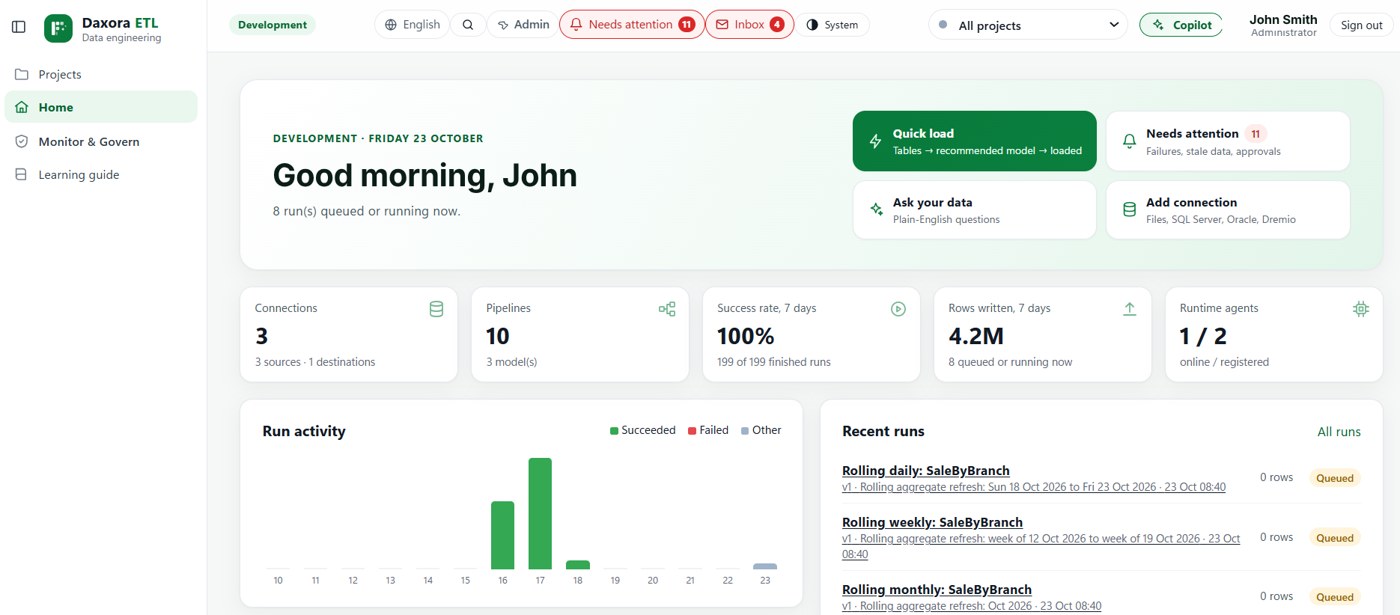
DAXORA Studio brings data from separate systems together: it discovers what is available, detects relationships between sources, and runs scheduled, validated pipelines into one consistent foundation.
The problem
Business data is spread across operational databases, spreadsheets, cloud services and APIs. Each system describes customers, products or locations in its own way.
Without integration, every report reconciles the sources again by hand, and different teams arrive at different numbers.
How DAXORA Studio helps
Studio scans the connected sources, lists what is available and suggests how tables relate across systems. Engineers confirm the relationships and build integration pipelines on a visual canvas.
Pipelines run on a schedule with status and failure tracking, and quality rules confirm that the integrated data is complete and consistent.
Relevant capabilities
- AI-assisted data discovery: Scans databases, files and APIs and lists what is available.
- Data profiling and relationship detection: Profiles columns and suggests keys and joins.
- Enterprise connectivity: Connect to the databases, files and cloud sources you already use.
- Workflow scheduling and monitoring: Run on schedules and track status and failures.
A practical example
Illustrative example: a government service combines service requests from a case management database, a spreadsheet of field visits and an online portal's API. Studio matches requests across the three sources by reference number, flags records without a match, and produces one table for performance reporting.
Supported data sources and platforms
- DAXORA Studio is designed to connect to databases, files, APIs and cloud sources, using the access your organization approves.
- The validated connectors for your sources and targets are confirmed with DAXORA during a demo.
- Prepared datasets can feed DAXORA Insight or the reporting tools you already use.
Limitations and what to check
- Matching records across systems depends on shared identifiers or agreed matching rules. Studio suggests relationships; data owners confirm them.
- The validated connectors for your systems are confirmed during a demo.
- Generated output is a starting point. The people who own the data and the reports review it before it is used.
How to request a demo
- Request a demo with the form and tell us which data sources and platforms you use.
- We confirm which sources, targets and deployment options apply to your environment.
- We show the product with a scenario that matches your use case.
- You decide on next steps, with no obligation.
Frequently asked questions
What is data integration?
Combining data from different source systems into one consistent, usable dataset, so that reports and models work from the same numbers.
Which sources can DAXORA Studio integrate?
Studio is designed to connect to databases, files, APIs and cloud sources. The validated connectors for your environment are confirmed with DAXORA during a demo.
Is data integration the same as ETL?
ETL is one way to integrate data: extracting it from sources, transforming it and loading it into a target. Data integration is the broader goal of combining sources consistently.
Related pages
See DAXORA Studio, Insight and Forge with your own use case
Tell us where your data lives and what decisions you need to support. We will show you how the platforms apply.